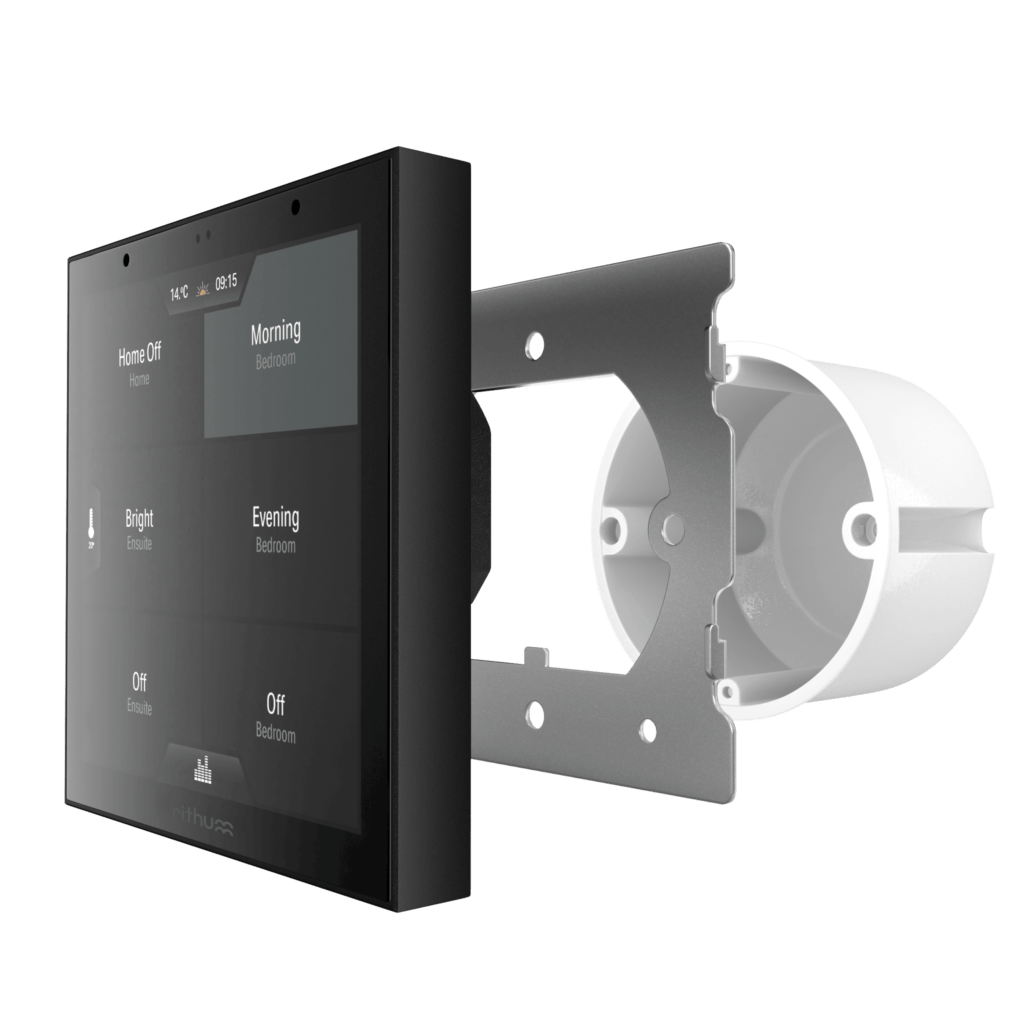
The best smart home technology isn’t the technology you notice. It’s the technology that quietly adapts to the way you live, removing friction from everyday tasks and putting the controls you need exactly where you expect them.
That’s the thinking behind the Rithum 5.2 update. From customisable gestures and personalised wake screens to smarter heating control, this release focuses on making daily interactions with your home feel more intuitive.
Double Tap Gestures
No two households use their spaces in exactly the same way. For some, walking into the kitchen means turning on the lights. For others, it’s starting music while making coffee or activating an evening scene.
Until now, a double tap on a Rithum panel was dedicated to play and pause. With Rithum 5.2, that gesture can trigger any scene or action on your system.
Whether it’s lighting, music, climate control or a multi-room scene, the gesture can now be tailored to the way each space is actually used.
For homeowners, that means faster access to the actions they use most. For integrators, it creates another opportunity to personalise the experience without adding complexity.
Configurable Wake Screens
Different rooms have different priorities, so why should every panel open to the same screen?
With Rithum 5.2, each panel can wake directly to Media, Levels or Climate, depending on its location and purpose.
A kitchen panel might open to music controls, while a bedroom panel goes straight to climate settings. In a hallway, lighting controls may be the most useful starting point.
The change may seem small, but removing even a single unnecessary tap can make a smart home feel noticeably more responsive over time.
More importantly, it keeps technology in the background by presenting only what’s relevant in that moment.
Inter-Switch Intercom
Communication is one of the most overlooked aspects of the connected home.
With Rithum 5.2, compatible Switch Pros can now call one another using inter-switch intercom functionality. Panels can place outbound SIP calls, including calls triggered directly from scene buttons.
That means hardware already installed on the wall can become a practical communication tool throughout the home.
Whether you’re speaking between floors, checking in from another room or answering a door station from elsewhere in the house, the experience feels integrated rather than dependent on yet another device.
Rithum Stat Enhancements
The most significant functional changes in 5.2 arrive in heating and environmental control.
Dual-Zone Heating and Cooling
Each Rithum Switch can now manage a second heating and cooling zone using an external temperature sensor.
This allows one panel to regulate two independent spaces, helping ensure that comfort is measured where people actually spend their time rather than solely at the panel location.
For larger rooms, open-plan spaces or adjacent areas with different heating requirements, this can deliver more accurate temperature management and improved comfort throughout the home.
Switched Zones
Rithum Stat now supports switched zones for devices such as:
· Towel rails
· Hot water systems
· Ventilation fans
Bringing these functions into the same platform simplifies control and reduces the need for separate timers and controllers around the home.
Full Scheduling
Every zone now benefits from comprehensive scheduling.
Heating, cooling, hot water and auxiliary loads can all be managed from a single, consistent interface, making everyday operation easier for homeowners while simplifying system design for installers.
The result is a more unified approach to home comfort, with fewer standalone devices and less complexity overall.
Design Considerations
One of the most valuable aspects of software-driven smart homes is their ability to improve over time.
Features such as intercom functionality, dual-zone climate control and custom wake screens arrive through software rather than hardware replacement. Existing installations gain new capabilities without requiring additional devices on the wall.
This extends the value of the original investment while helping systems remain relevant as homeowner needs evolve.
The configurable wake screen also highlights an important principle of smart home design: the best interface is often the one that shows less. By tailoring panels to the rooms they’re located in, the experience remains calm, focused and intuitive.
Key Takeaways
· Double tap gestures can now trigger any scene or action.
· Panels can wake directly to Media, Levels or Climate screens.
· Compatible Switch Pros now support inter-switch intercom functionality.
· Rithum Stat adds support for a second heating and cooling zone using an external sensor.
· Switched zones support towel rails, hot water systems and fans.
· Full scheduling is available across all supported zones.
· All new features are delivered through software, with no additional hardware required.
Conclusion
Rithum 5.2 isn’t about adding more technology to the home. It’s about making everyday interactions feel more natural.
Whether that’s triggering a favourite scene with a double tap, accessing the right controls immediately when a panel wakes, communicating between rooms or
managing heating more intelligently, the goal remains the same: creating a home that works around the people living in it, not the other way around.
FAQs
Do I need new hardware for Rithum 5.2?
No. The features included in the 5.2 update are delivered through software to compatible existing installations.
What can a double tap gesture do?
A double tap can now trigger any supported scene or action, rather than being limited to media play and pause.
Can different panels wake to different screens?
Yes. Each panel can be configured independently to open on Media, Levels or Climate.
How does inter-switch intercom work?
Compatible Switch Pros can place SIP-based calls to one another across the home network, including calls initiated from scene buttons.
What do the new Rithum Stat features add?
The update introduces dual-zone heating and cooling using an external sensor, switched zones for additional loads and full scheduling capabilities.
Why use an external sensor for a second zone?
An external sensor allows temperature control to be based on where occupants are located, helping improve comfort and control accuracy.